Unlock your Streamline3 device / VPN for App Setup.
If you are having trouble setting up or connecting with an application this may be due to the application not supporting a VPN (Virtual Private Network), some common applications that require this are ‘Ring’, ‘Roboroc’, ‘Signal’ & ‘Samsung Smart Switch’.
Streamline3 is a VPN and can be temporarily unlocked to allow applications to be set up if they do not natively work in a VPN environment.
To apply the required unlock please follow the below;
- Sign into your S3 Admin Console (my.ubtsupport.com)

- Click Devices
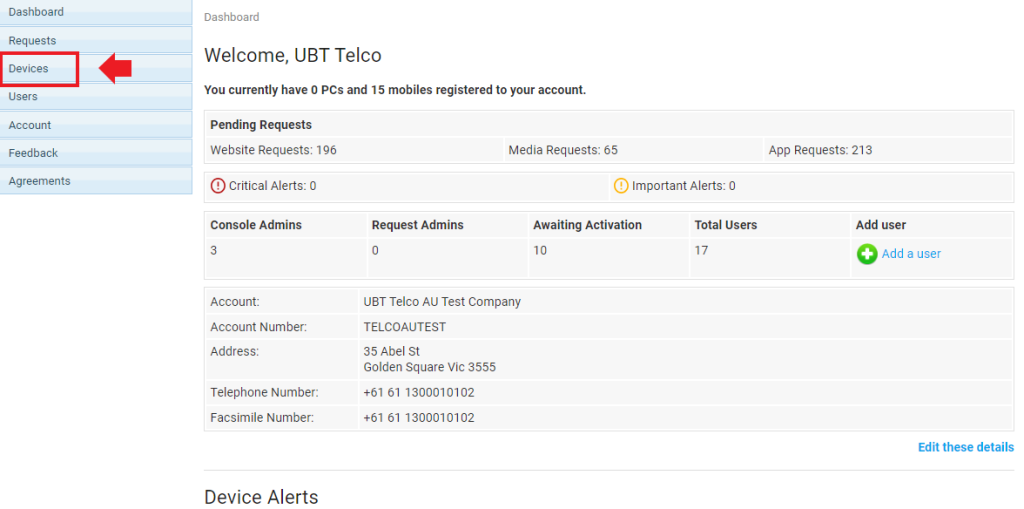
- Locate your device or required device

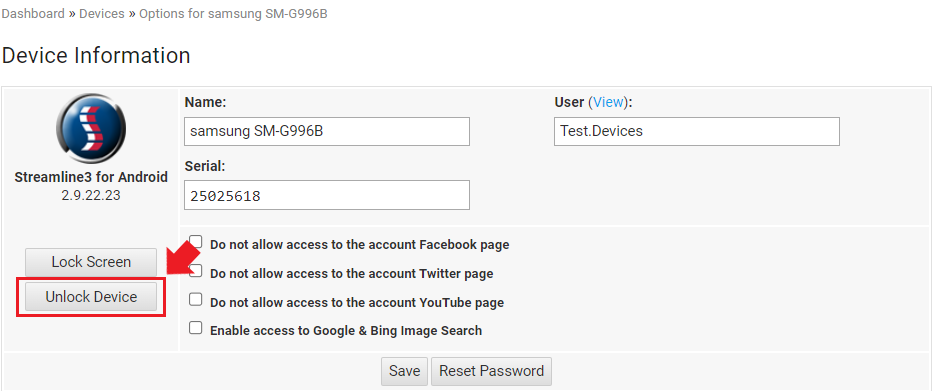
- Click ‘Unlock Device’
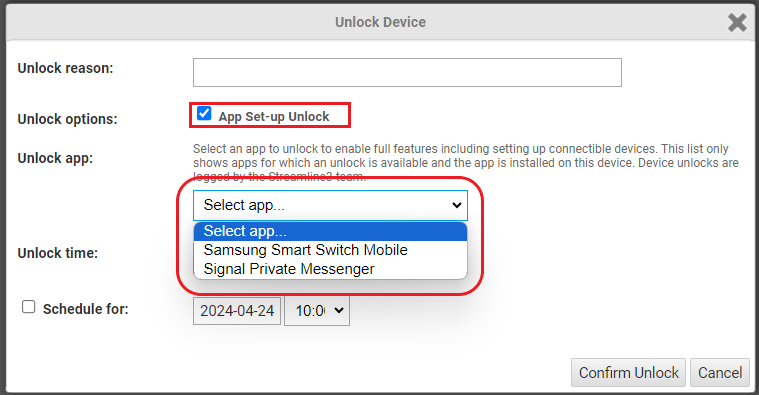
- Tick ‘App Set-up unlock’ and then select the app required to unlock and the duration or schedule a time.
- Click Confirm Unlock
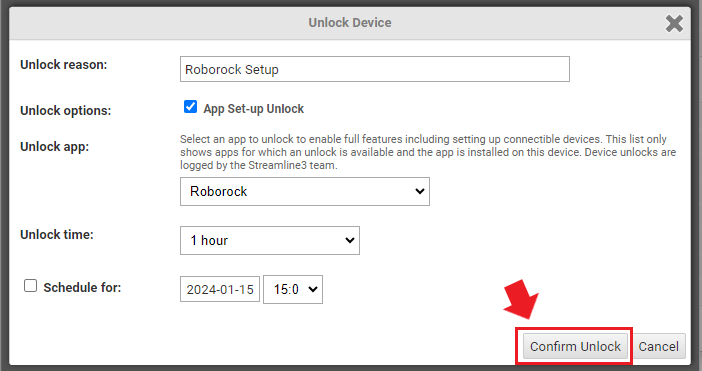
Your device will now be unlocked and you can now continue to setup your application.
Console admins can also use the ‘Schedule for’ option if this is required during a certain time/day.
If you require any further support please give us a call on 1300 01 01 02 – Option 1.