How to check how much mobile data you have used.
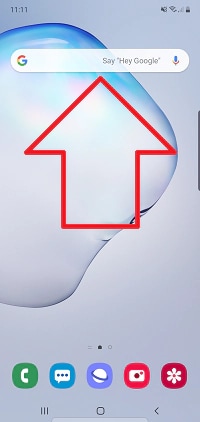
1. Swipe up from your home screen, to access your apps
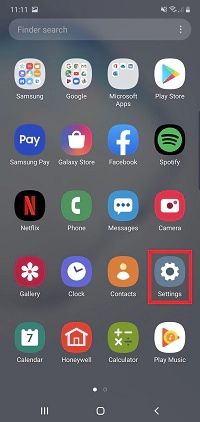
2. Tap Settings
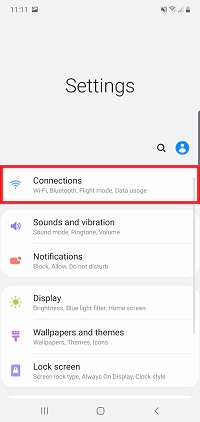
3. Tap Connections
4. Tap Data usage
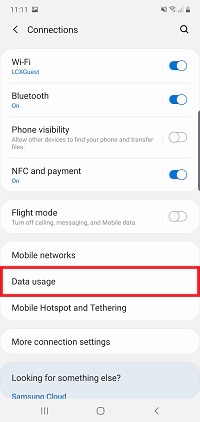
5. The amount of mobile data you have used will be displayed
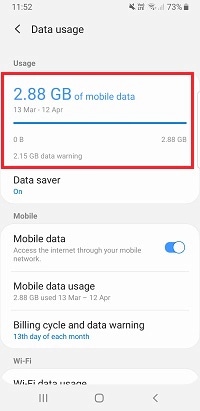
By default, your data usage will be tracked from the start to the end of the month before being reset.
Important: You will need to change the start date to align with the date your allowance is refreshed by your network provider.
6. Tap Billing cycle and data warning
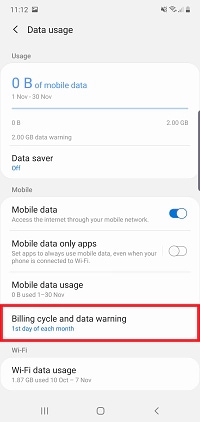
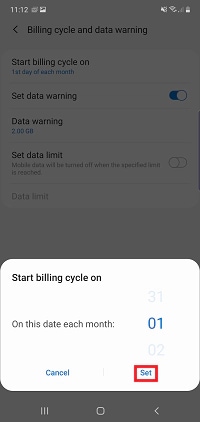
7. Tap Start billing cycle on
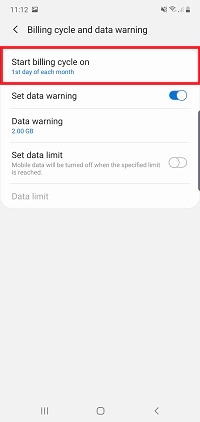
8. Change the starting date to match your carrier.
For Optus Services please use the 22nd day of the month.
For Telstra Services, please use the 20th day of the month.
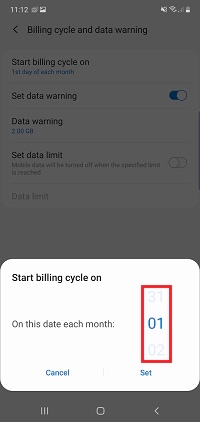
9. Tap Set