Connecting your Android phone to WiFi
To save on excess mobile data charges, we recommend connecting your phone to WiFi wherever available.
Before you begin:
- You will need to have your WiFi network name and password handy. If you don’t know these, your IT person should be able to help.
- The instructions below were captured on a Samsung device with Nougat firmware. Your phone may have slightly different steps. Please feel free to open a new helpdesk request if you get stuck.
Connect to WiFi
- Swipe down from the top of the screen and tap the
 button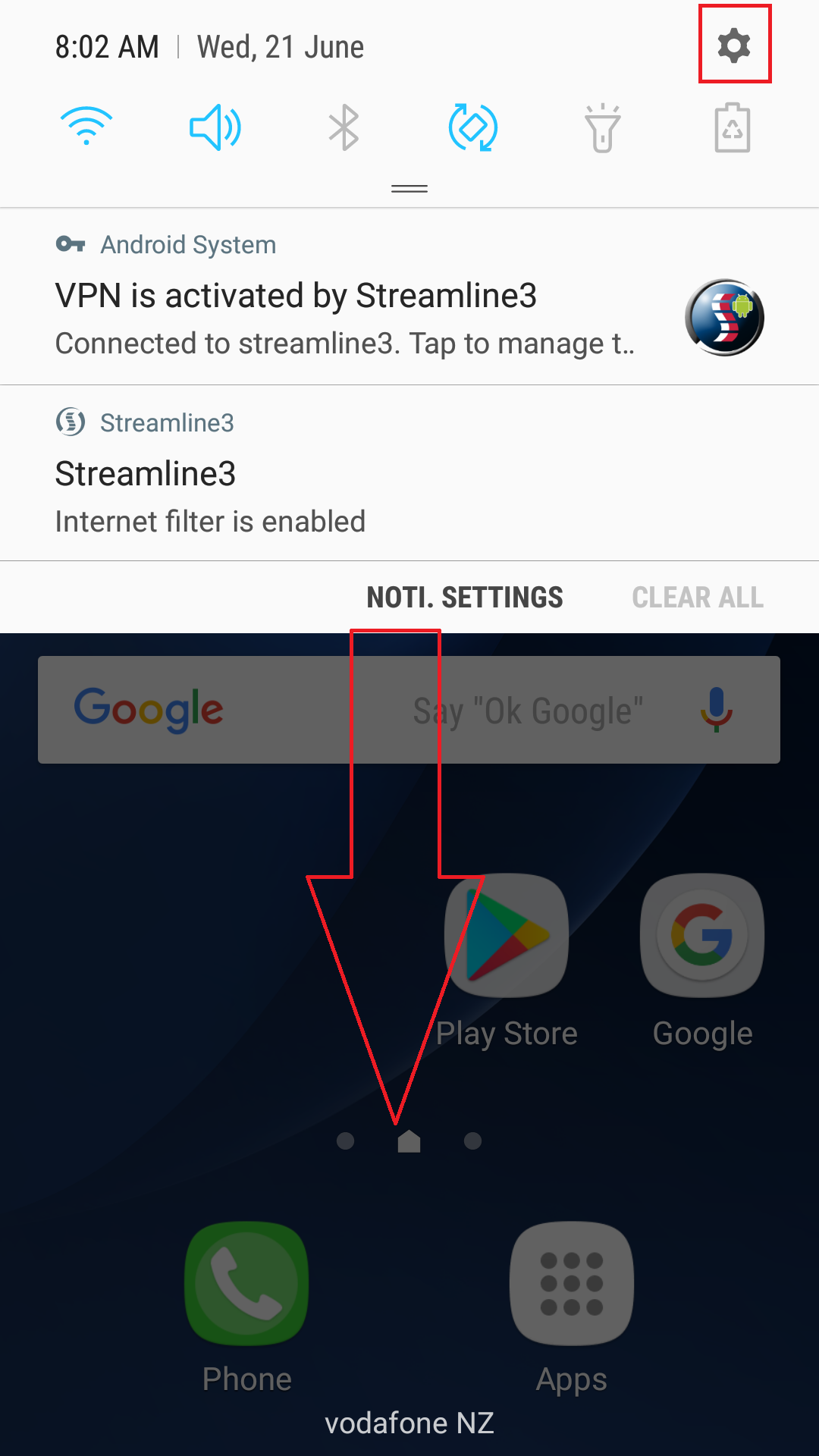
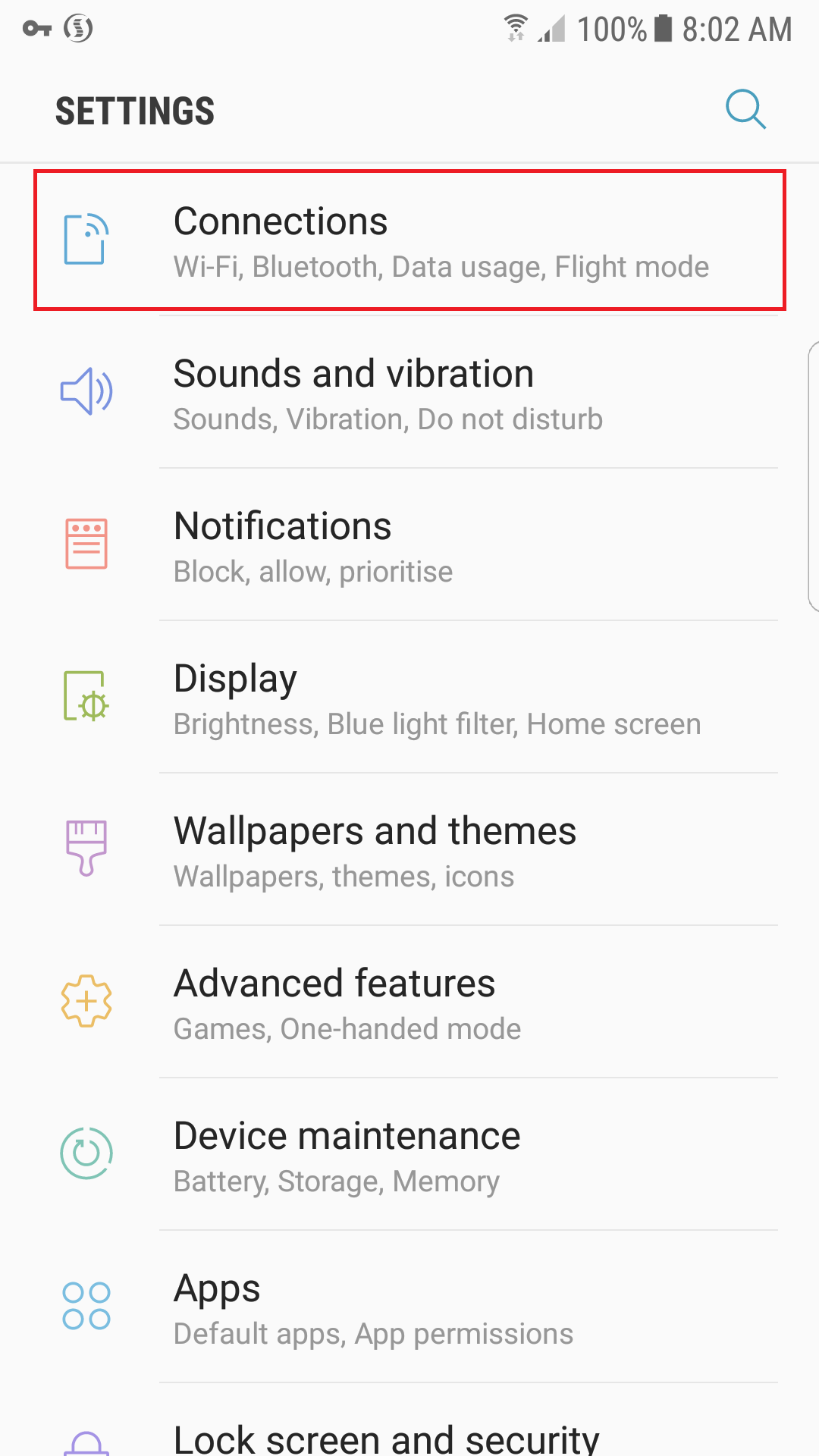
- Tap Connections
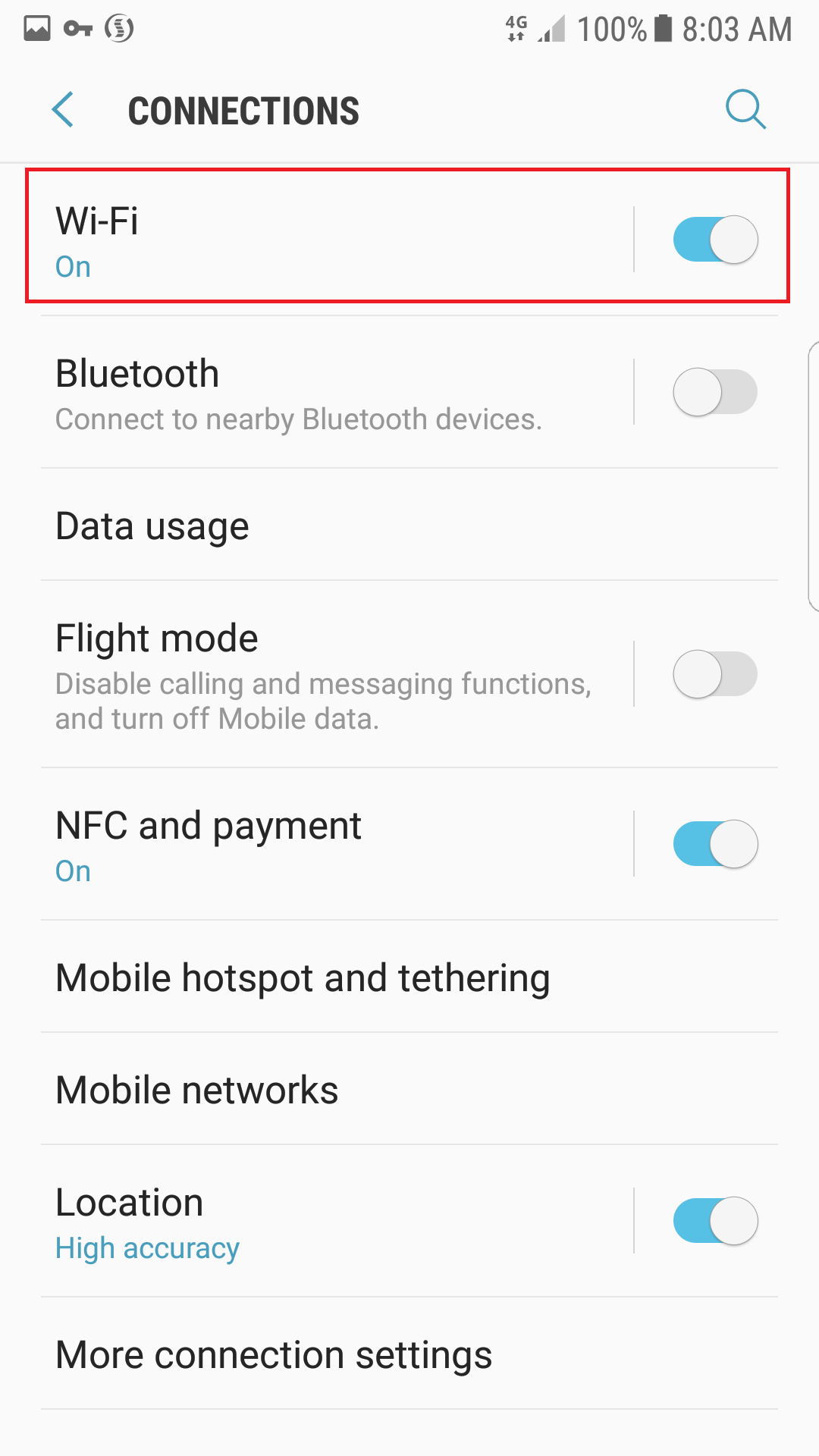
- Tap WiFi
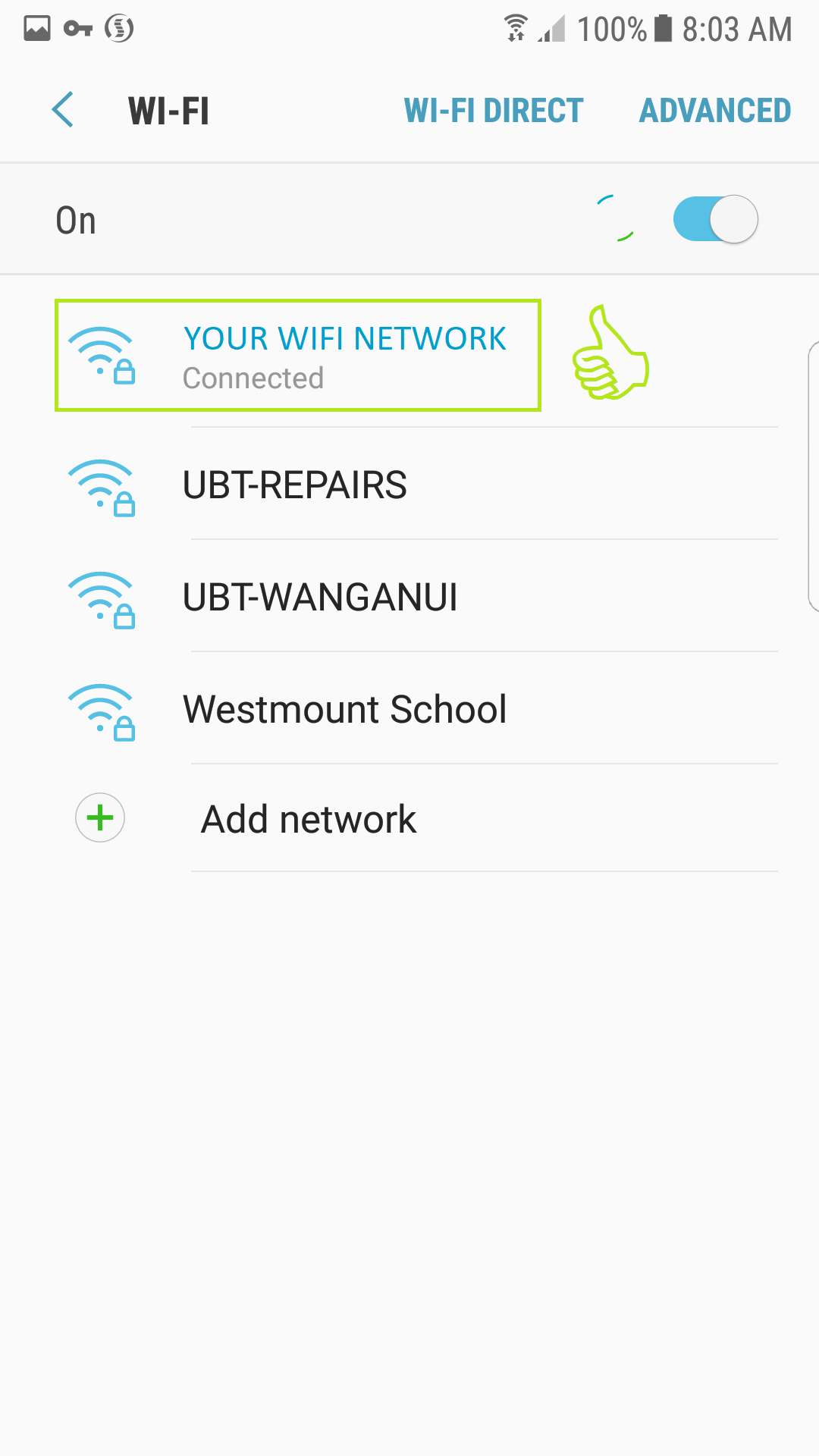
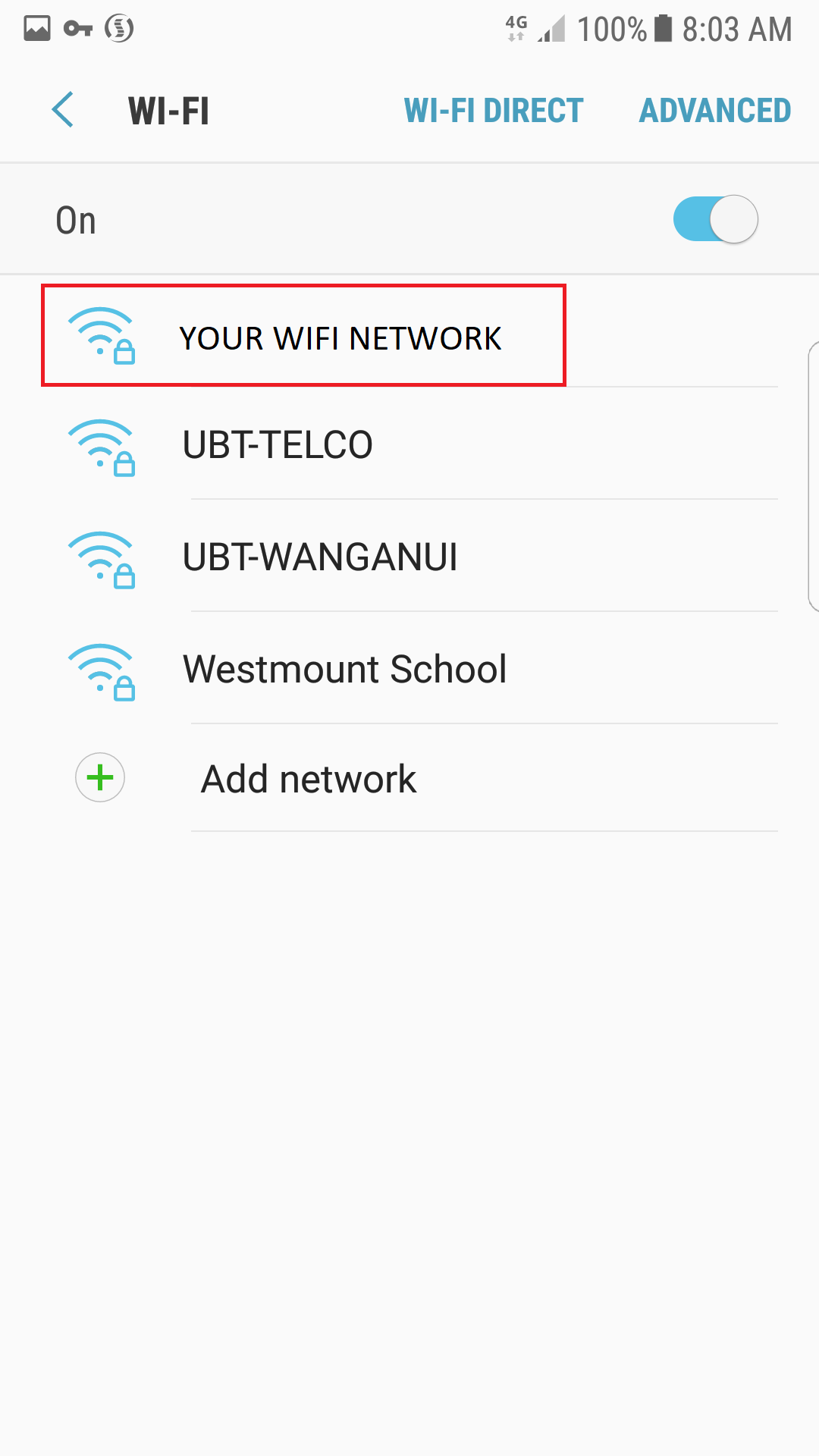
- Tap the correct network (this will differ from the screenshot below)
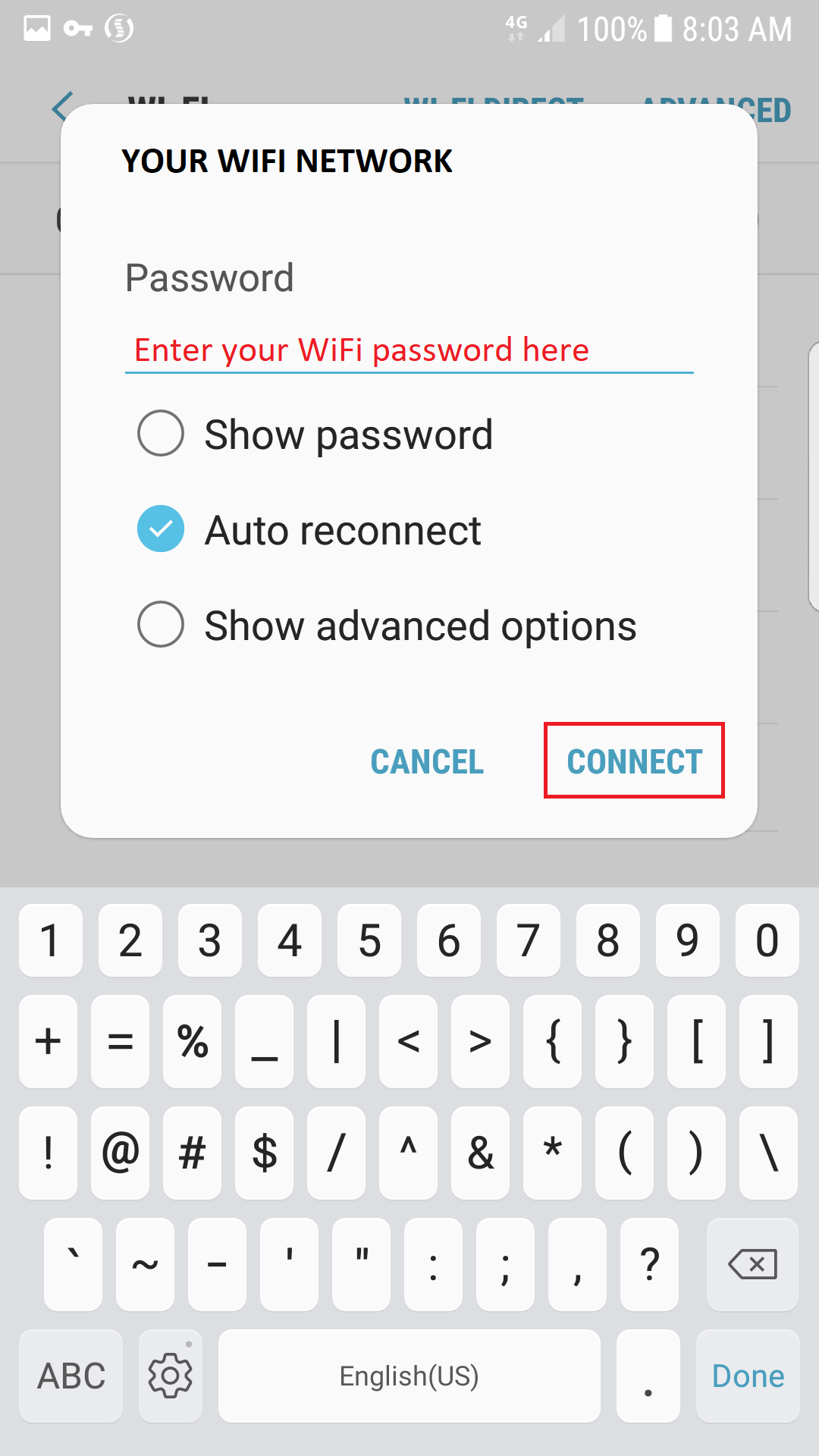
- Enter your WiFi Password and tap Connect
- You’re good to go when the phone shows your chosen WiFi network as being connected