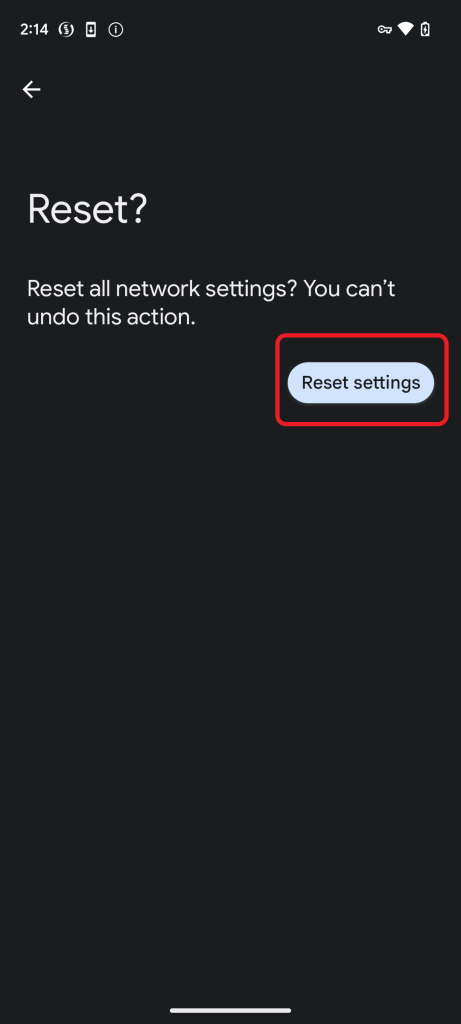
Network Settings Reset
Having issues with Mobile Signal Strength, Wi-Fi connectivity or Bluetooth Connectivity you can attempt the below on the device to see if this resolves the problem experienced.
Samsung Devices running Android 13 can follow the below steps.
Samsung Devices running Android 14 can follow the below steps.
Google Devices can follow the below steps.
Not sure on your Android Version?
Android 13
- Tap Settings

- Locate ‘General Management’,
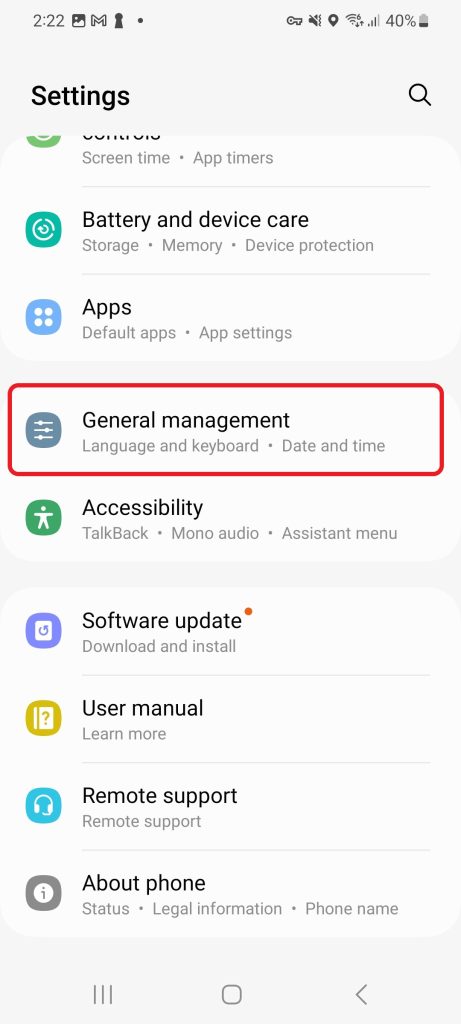
- Tap Reset
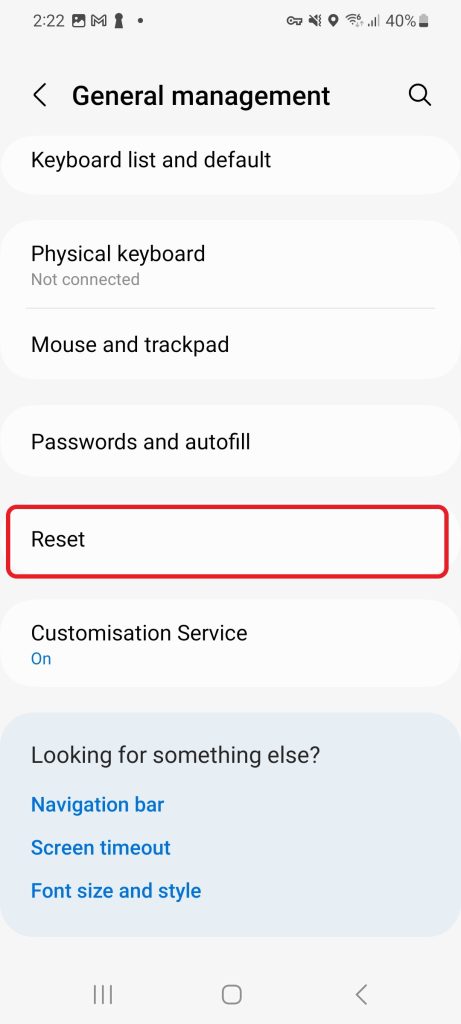
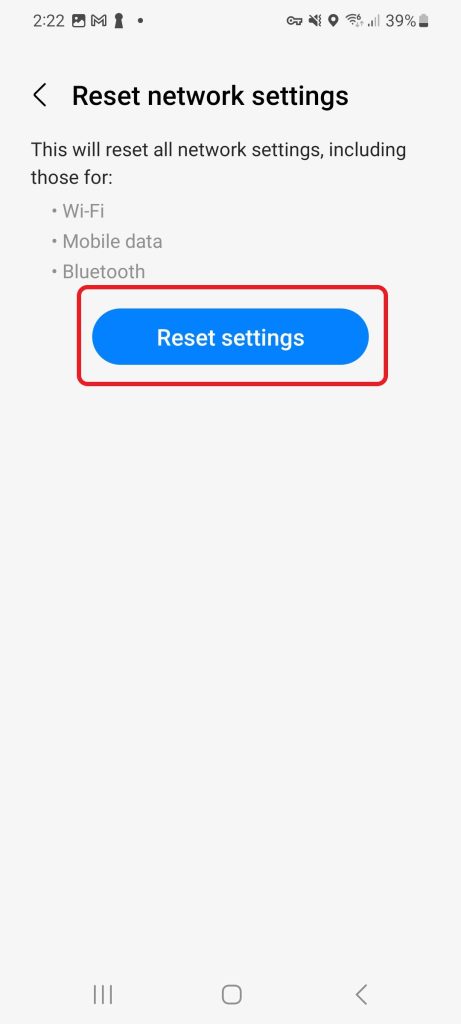
- Tap Reset Network Settings
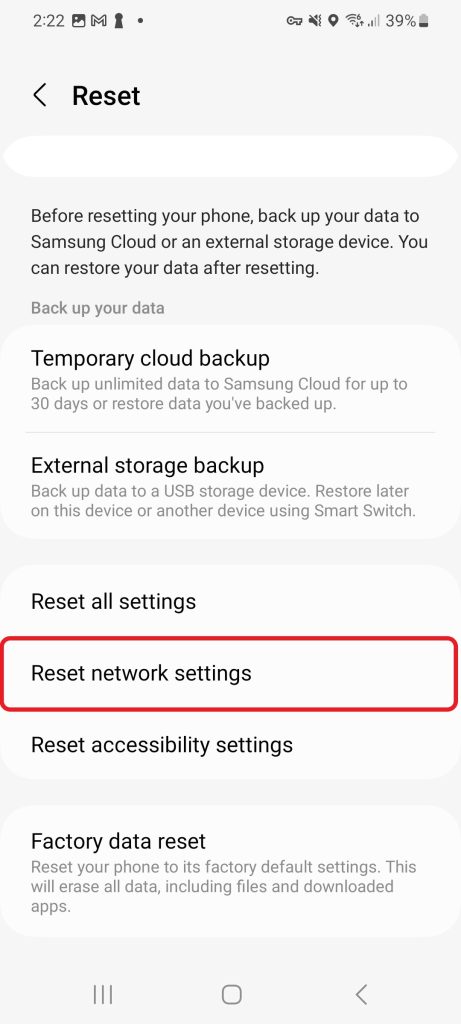
- Tap Reset Settings – Note, this will disconnect your device from all Mobile, Wi-Fi and Bluetooth Networks.
- Please ensure that you have any Wi-Fi & Bluetooth Network Passwords available to re-connect to the network.
Android 14
Samsung Devices running Android 13 can follow the below steps.
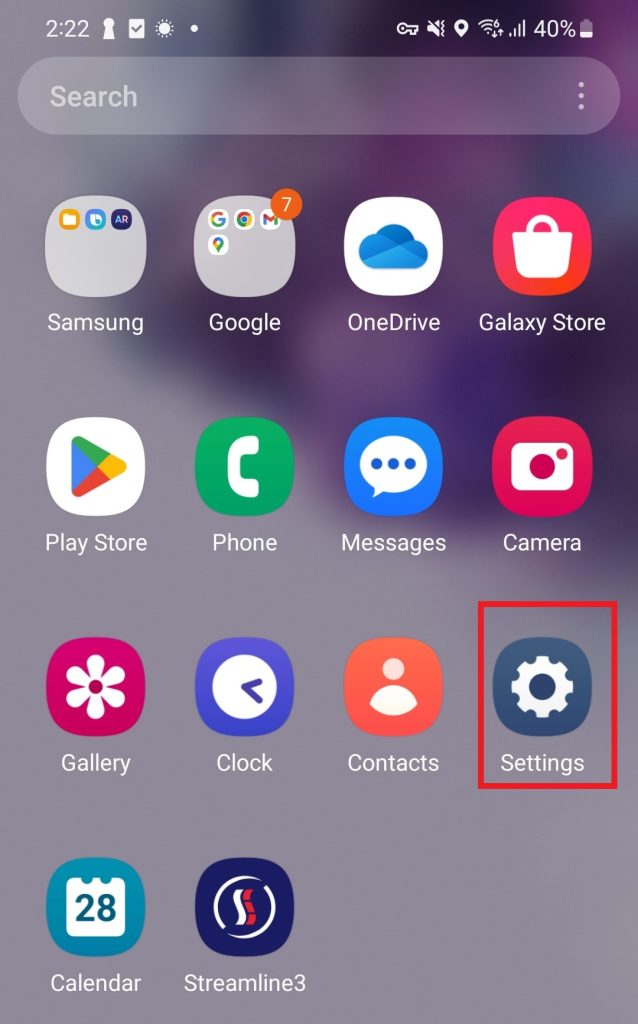
- Tap Settings
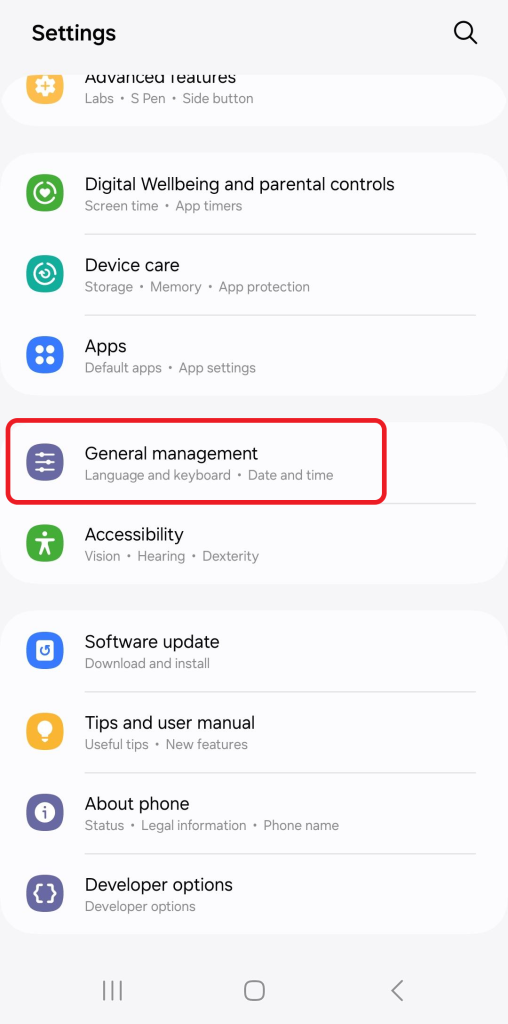
- Locate ‘General Management’,
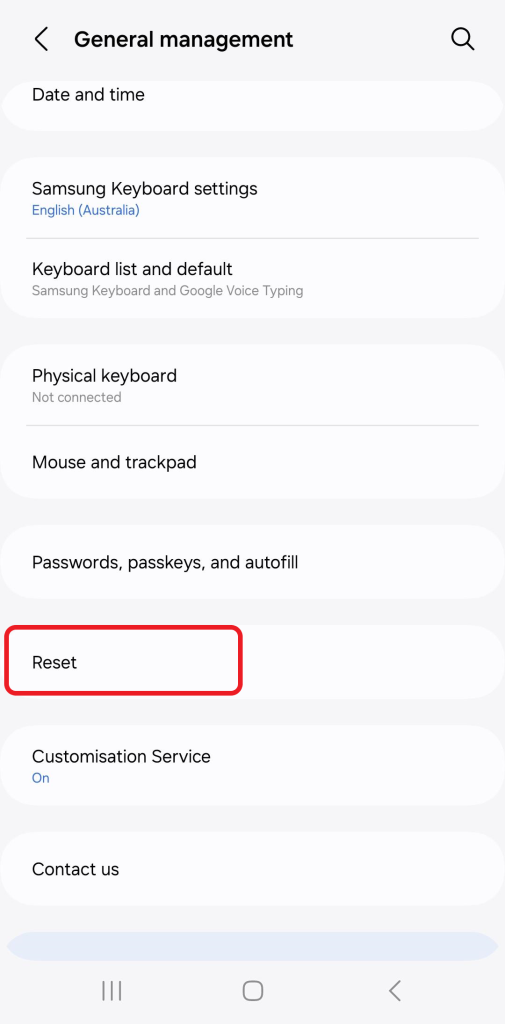
- Tap Reset
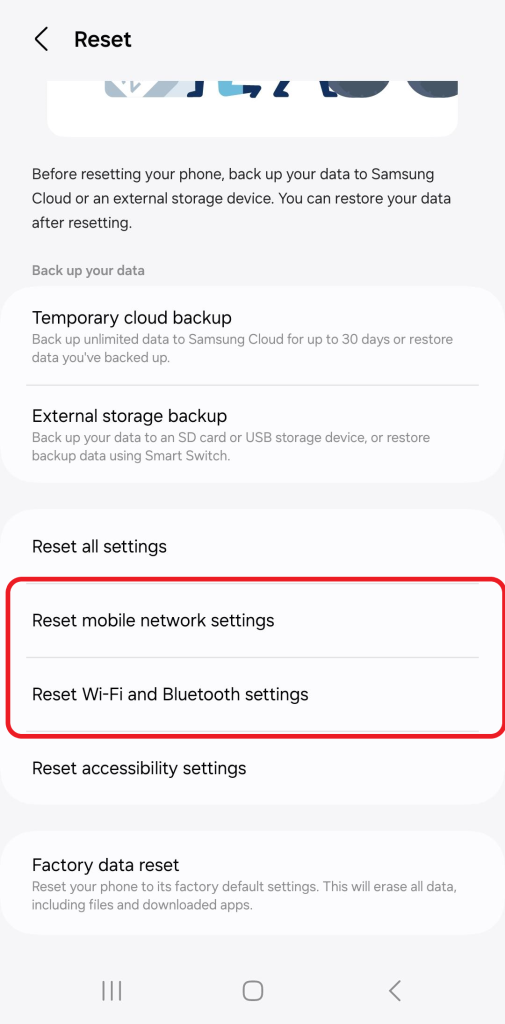
- Tap Reset Mobile Network Settings for any Mobile Network Issues
- Tap Reset Wi-Fi and Bluetooth Settings for any Wi-FI and Bluetooth Issues
Google Pixel
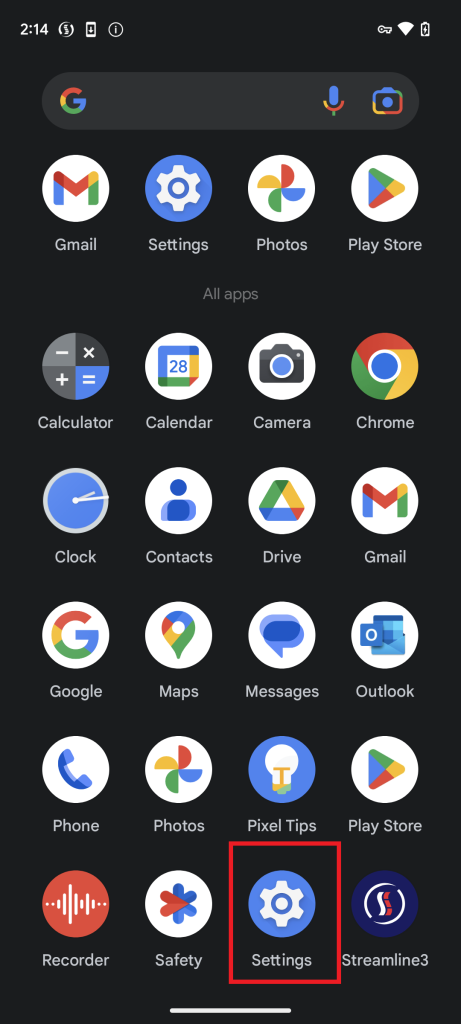
- Tap Settings
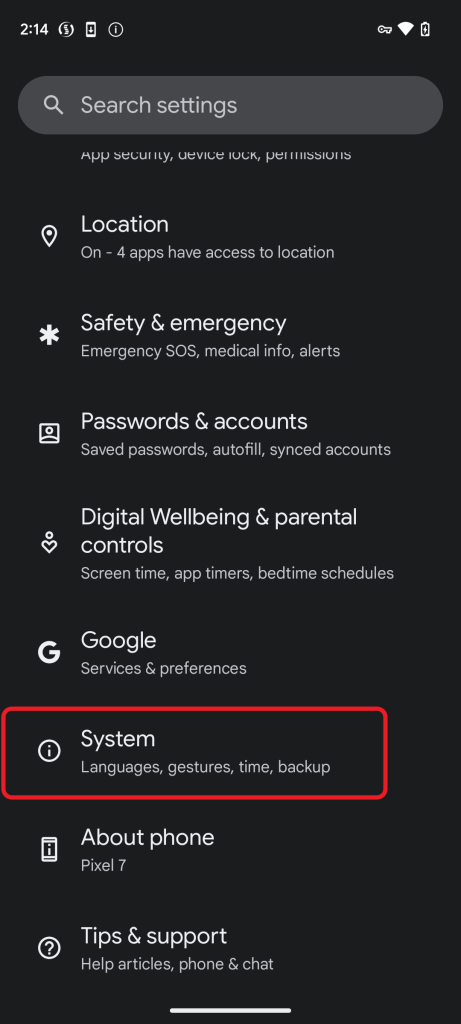
- Tap System
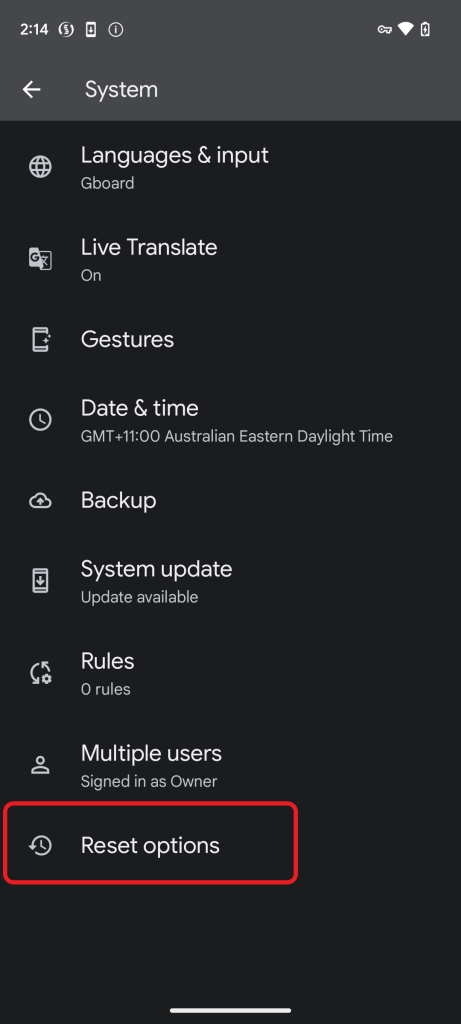
- Tap Reset Options
- Tap Reset Wi-Fi, Mobile & Bluetooth
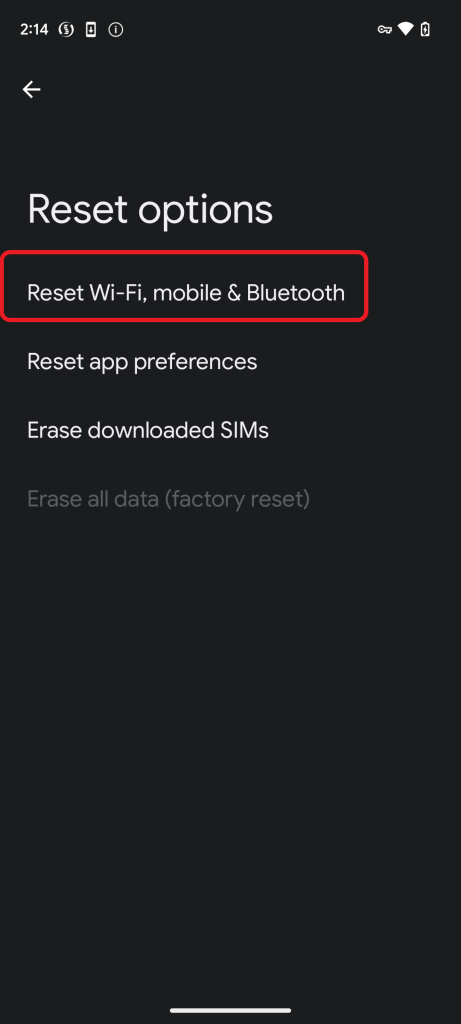
- Tap Reset Settings
- Leave ‘Erase Downloaded SIMs’ unticked.
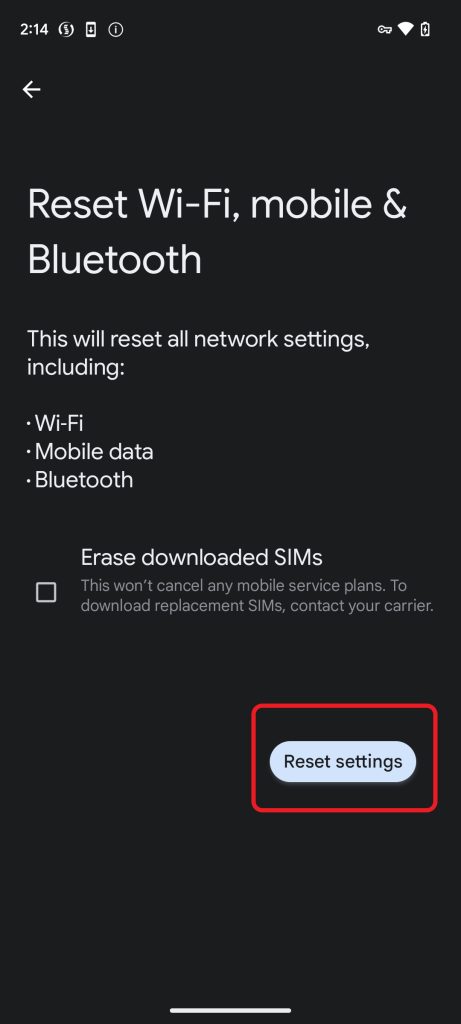
- Tap Reset Settings